Work as you normally would.
Record supported clicks in Chrome or capture a step manually. Move between tabs as your procedure unfolds.
 RunbookPack
LESS EXPLAINING. MORE DOING.
You know the steps. Now everyone can.
Turn your browser workflow into a clear, visual runbook your team can actually follow.
Built for Chrome / Extension coming soon
A repeatable process. Ready for the next person.
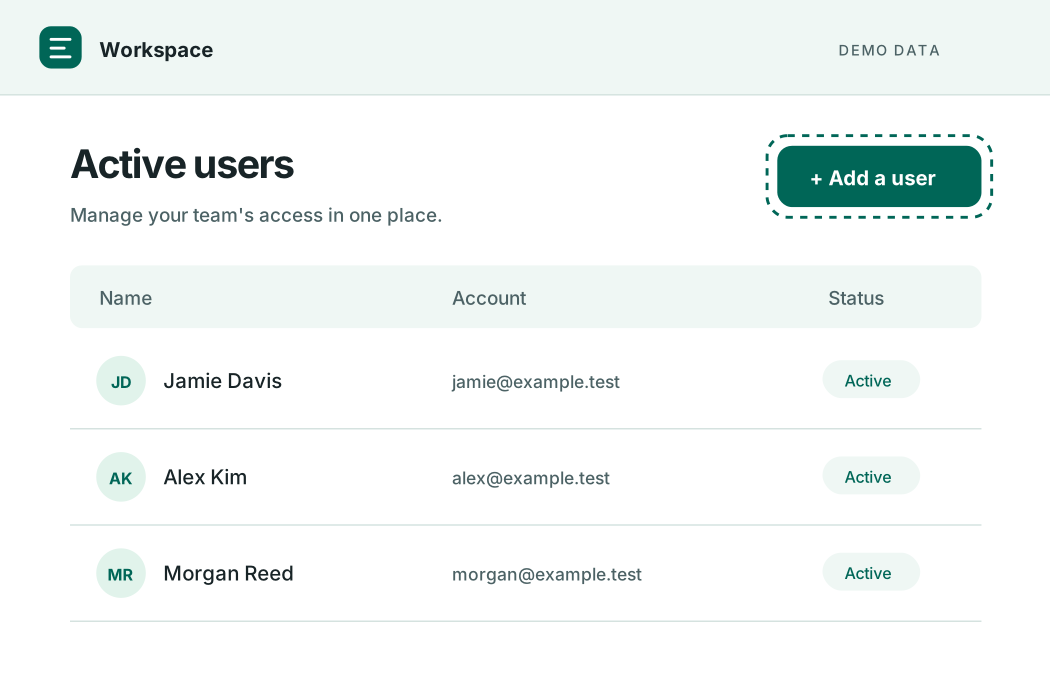
From Active users, select Add a user.
Capture in Chrome
Redact before sharing
Export. Keep. Make it yours.
01 / THE WORKFLOW
No more piecing together screenshots and half-remembered instructions. Just do your task, then give it a little polish.
Record supported clicks in Chrome or capture a step manually. Move between tabs as your procedure unfolds.
Fine-tune instructions, reorder screenshots, and cover sensitive information with solid redaction boxes.
Export editable HTML and images in a ZIP. Open it offline or bring the content into your team's wiki.
02 / INSIDE THE EXTENSION
Explore what Runbook Pack already does, from the toolbar popup to My guides and the screenshot editor.
RECORD & CAPTURE
01Capture screenshots after supported button and link clicks on regular web pages.
Save the current browser viewport whenever a step needs extra context.
Add another tab to the current recording when your workflow spans multiple pages.
Check included tabs, recording notices, and missed-capture counts from the popup.
SAVE & ORGANIZE
02Start a fresh draft while keeping earlier guides in your local library.
Switch between the current guide and previous guides from My guides.
See saved step titles, screenshots, and the step count directly in the popup.
Captures and edits are stored locally in your browser until you export them.
EDIT & PROTECT
03Rewrite each step in your own words. Changes save to the local guide.
Move a step up or down, or delete an unnecessary capture.
Drag solid boxes over sensitive details before sharing your guide.
Undo the last box or cancel the edit. Saving permanently replaces that screenshot in the guide.
EXPORT & SHARE
04Package the guide and screenshot image files together in one download.
Give the download a recognizable name, or keep the generated default.
Export numbered steps, instructions, and screenshots as an HTML guide you can modify.
Unzip and open the guide locally, or bring its text and images into your documentation tool.
YOUR WORK. YOUR FILES.
Your guides stay on your device until you export them. And when you do, you get real, editable files you can keep.
03 / SIMPLE PRICING
Capture the process, polish the details, and hand over a guide your team can keep.
Questions? Get in touch ?$49 USD
One-time purchase. No subscription.
Planned pricing ? Not available to purchase yet
PASS ON THE HOW.